
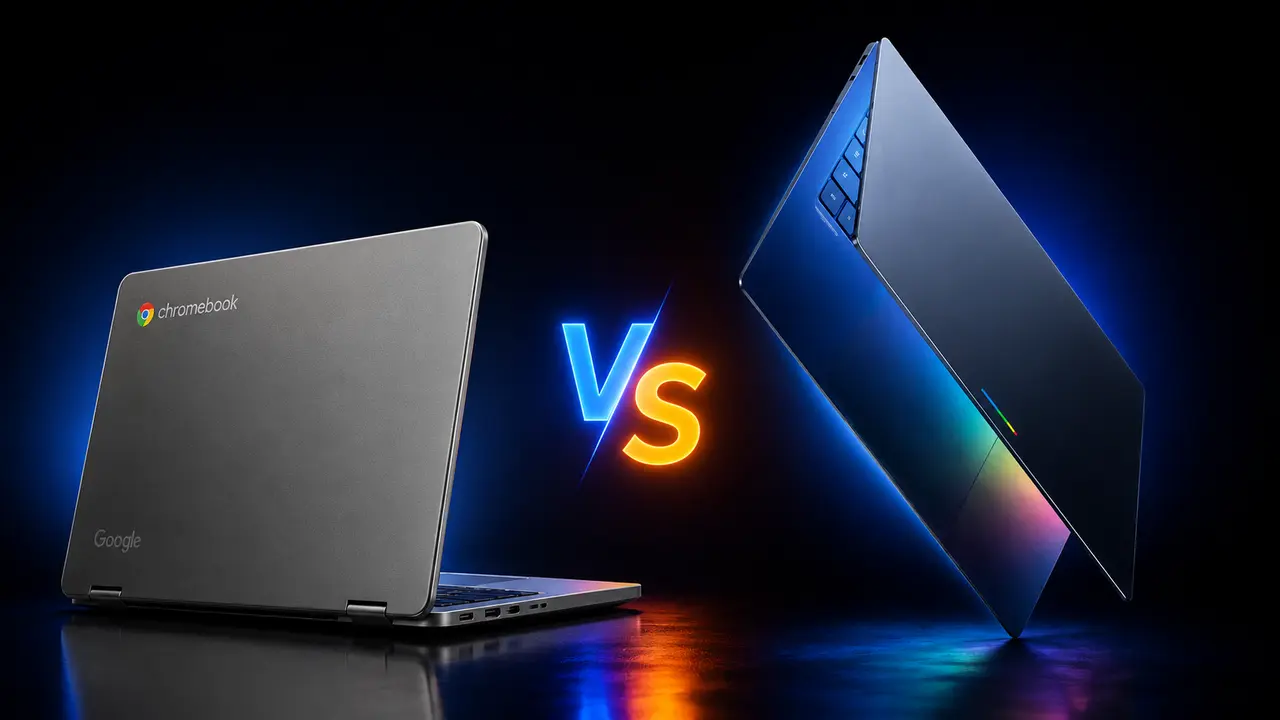
Googlebook vs Chromebook:
What’s Actually Different?
Google just announced Googlebook — a brand new AI-first laptop category built on Android 17. After 15 years, is this the end of Chromebook? Or just an upgrade? Here’s everything you need to know, explained clearly.
Breaking — Announced May 12, 2026
At The Android Show: I/O Edition, Google unveiled “Googlebook” — a completely new laptop category built from the ground up for Gemini Intelligence. The devices run Android 17 (codename “Aluminium”) and will launch in Fall 2026 from Acer, ASUS, Dell, HP, and Lenovo. Chromebooks are NOT being discontinued — but the laptop world just changed.
Brand New
What Is Googlebook? — Google’s New AI Laptop, Explained Simply
On May 12, 2026, at a special event called “The Android Show: I/O Edition,” Google announced Googlebook — a completely new category of laptop that didn’t exist before that day.
The simplest way to describe it: Googlebook is what happens when you take the best parts of Android (your phone’s OS) and Chrome together, rebuild them around AI, and put them in a premium laptop. It’s not an upgraded Chromebook. It’s a rethink of what a laptop should be in an era where AI is doing more and more of your thinking for you.
🤖 Google’s own words on Googlebook: “Over 15 years ago, we introduced the Chromebook, a laptop built for a cloud-first world. Now, as we are moving from an operating system to an intelligence system, we see an opportunity to rethink laptops again.” — Google Blog, May 12, 2026
In practical terms, a Googlebook is a premium laptop where Gemini AI is not a feature you turn on — it’s baked into everything, starting from the moment you move your cursor. The devices run an OS called “Aluminium” (internal codename) which merges Android 17 and Chrome technology. Think of it less like a software update and more like a completely new product philosophy.
The Original
What Is Chromebook? — The 15-Year Legacy
Chromebook was introduced in 2011 as a radical answer to a simple question: what if a laptop was built entirely around the web browser, cloud storage, and Google’s services — instead of locally installed software?
For fifteen years, that bet paid off spectacularly. Chromebooks became the default laptop for schools worldwide — affordable, fast to start, easy to manage, and practically immune to viruses. They run ChromeOS, which is essentially the Chrome browser with a desktop wrapper and a lightweight container for Android apps.
✅ Why Chromebooks won education: They’re cheap (starting from ~$250), lock down easily, have long battery life, and Google’s MDM (Mobile Device Management) tools made them ideal for IT administrators managing hundreds of devices. Schools didn’t have to worry about malware, driver issues, or expensive software licences.
Chromebooks have also grown beyond schools. Chromebook Plus models brought premium hardware into the ChromeOS ecosystem. And millions of casual users — those who mainly browse the web, attend video calls, and use Google Docs — found that Chromebooks did everything they needed at a fraction of the cost of a Windows laptop or MacBook.
Built on Android 17 + Chrome. Gemini woven into every interaction. Magic Pointer. Custom Widgets. Seamless phone integration. Premium hardware. Glowbar. Competing with MacBook Air and Surface Laptop. Ships Fall 2026.
Built on ChromeOS. Chrome browser at the centre. Budget to mid-range pricing. Dominant in schools and casual use. Existing devices supported until 2032. New Chromebooks still launching. Simple, secure, affordable.
The Core Difference
The Biggest Difference: The Operating System
This is the most fundamental change between a Googlebook and a Chromebook — and it’s more significant than it might sound at first.
| Aspect | ✅ Chromebook (ChromeOS) | 🆕 Googlebook (“Aluminium”) |
|---|---|---|
| Base OS | ChromeOS (Chrome-first) | Android 17 (Android-first) |
| Primary Interface | Chrome browser | Chrome browser + Android + Gemini |
| Android Apps | Limited container support | Native, full Android support |
| Gemini AI | Side panel / overlay | Built into cursor, widgets, OS |
| Phone Integration | Basic (Phone Hub) | Deep — access phone storage directly |
| App Store | Chrome Web Store + limited Play | Full Google Play Store |
| Code Name | ChromeOS | “Aluminium” (internal codename) |
| Innovation Speed | Quarterly updates | Faster, Android-derived update cycle |
💡 The simple way to think about this: A Chromebook runs Chrome OS and tolerates Android apps in a container. A Googlebook runs Android 17 and ships Chrome inside it. Same brands on the label, completely different relationship between the browser and the OS underneath. Any app you can install on your Android phone will install the same way on a Googlebook — natively, not in a compatibility layer.
Google has been merging Android and ChromeOS for years internally. Googlebook is the first time that merger becomes a real consumer product. The internal codename “Aluminium” refers to the merged OS, though Google hasn’t announced the final public branding for it yet.
The Signature Feature
Magic Pointer — The Feature That Changes Everything
If there’s one feature that defines what a Googlebook is versus everything else on the market — including Chromebooks — it’s Magic Pointer.
Think about the mouse cursor. It’s been on every laptop since the beginning. Move it around. Click things. Right-click for more options. That’s been the entire interaction model for decades. Now imagine if your cursor was powered by Gemini AI.
✨ How Magic Pointer works: Just wiggle your cursor on screen and it “comes alive” with Gemini, offering quick, contextual suggestions based on exactly what you’re pointing at. Built with the Google DeepMind team — it understands context, not just location.
📅 Point at a date in an email → Gemini offers to set up a meeting instantly
🛋️ Select two images (your living room + a new couch) → Visualize them together in seconds
📄 Point at a document → Get instant AI summary options without opening a new tab
🔗 Hover over a link → Gemini gives you context about the destination before you click
This is not a chatbot. It’s not a sidebar assistant. Magic Pointer means Gemini is everywhere on your screen, all the time, understanding context without you having to type a single prompt. It’s the most significant change to how laptop interfaces work since the touchpad replaced the trackball.
Google described the goal simply: “Go from idea to I’m done in just a few clicks.”
“We are moving from an operating system to an intelligence system. We see an opportunity to rethink laptops again.”Google — The Android Show: I/O Edition · May 12, 2026
Full Feature Breakdown
All Googlebook Features Explained
Beyond Magic Pointer, Googlebook introduces a set of features designed to make the laptop feel like an extension of your phone and your AI assistant at the same time:
Gemini-powered cursor built with DeepMind. Wiggle your cursor and get instant, contextual AI suggestions based on whatever is on screen. No prompting required.
Prompt Gemini to build a custom desktop widget. It connects to Gmail, Calendar, Maps, and the web to create a personalised dashboard — trip planner, countdown timer, project tracker, anything.
Access your Android phone’s internal storage directly from your Googlebook. Seamlessly switch between phone and laptop without syncing, cables, or cloud uploads.
A unique visual element on every Googlebook — Google describes it as both functional and visually distinctive. Helps Googlebooks stand out from both Chromebooks and Windows laptops.
Every Android app you use on your phone runs natively on Googlebook — not in a compatibility container. Same installation, same performance, same experience.
Custom AI-generated widgets make your desktop a living, personalised home screen — not a static wallpaper. Gemini organises information proactively before you ask.
Designed for multi-device users. Start something on your phone, continue on your Googlebook. Files, tasks, and context flow between devices without friction.
Built with premium craftsmanship and materials. Available in clamshells, convertibles, 2-in-1s. Intel and Qualcomm confirmed as chip partners — supporting both x86 and ARM architectures.
Head-to-Head
Complete Side-by-Side Comparison Table
| Feature / Aspect | 💚 Chromebook | 🆕 Googlebook |
|---|---|---|
| Launched | 2011 | Fall 2026 |
| Operating System | ChromeOS | Android 17 (“Aluminium”) |
| Chrome Browser | ✓ Central to OS | ✓ Built-in |
| Gemini AI | Side panel / limited | Magic Pointer — in cursor |
| Magic Pointer | ✗ Not available | ✓ Exclusive feature |
| Create Your Widget | ✗ Not available | ✓ Exclusive feature |
| Android App Support | Limited (container) | Native Android apps |
| Phone Integration | Basic Phone Hub | Deep — access phone storage |
| Glowbar | ✗ Absent | ✓ Present |
| Price Range | Budget ($250+) | Premium (MacBook tier) |
| Target Users | Students, casual, schools | Professionals, AI power users |
| Education/MDM | Excellent | Not designed for schools |
| Hardware Partners | Many (budget focus) | Acer, Asus, Dell, HP, Lenovo |
| Chip Options | Intel / ARM / MediaTek | Intel + Qualcomm confirmed |
| Google Play Store | Partial support | Full native access |
| Update Lifecycle | AUE up to 10 years | Not confirmed yet |
| Existing Chromebook users | Supported until AUE date | Some eligible to upgrade |
| Status | Active — continuing | Launching Fall 2026 |
The Big Question
Is Chromebook Dead? — The Honest, Nuanced Answer
No. But the relationship between Chromebook and Googlebook is genuinely complicated.
On May 13, 2026 — just one day after the Googlebook announcement — Google’s VP for ChromeOS, John Maletis, confirmed in an interview with Chrome Unboxed that new Chromebooks and Chromebook Plus devices are still in the pipeline. Schools and businesses can keep buying Chromebooks. That’s the clearest possible signal that ChromeOS isn’t being shut down.
✅ Confirmed by Google:
— New Chromebooks will still launch in 2026 and into 2027
— Chromebooks bought in 2022 are supported until 2032 (Auto Update Expiry)
— Chromebooks remain the right choice for schools and budget-conscious users
— Some existing Chromebooks will be “eligible to transition to the new experience”
⚠️ But here’s the honest catch: Google is clearly more excited about Googlebook than Chromebook. The energy, the innovation, the AI features, the premium branding — it’s all going to Googlebook. Chromebook will continue to exist, especially for education. But it’s no longer where Google is building the future. Think of it like Google keeping Gmail alive while also launching Google Workspace AI — the old thing still works, but the new thing is where everything interesting is happening.
Google’s President of Android Ecosystem, Sameer Samat, has previously said: “Chrome OS is its own use case, and that will remain.” That’s reassurance, but it’s also a subtle signal — Chromebook has become “its own use case” rather than Google’s laptop flagship.
What We Know
Price, Availability & Hardware Partners
| Detail | 💚 Chromebook | 🆕 Googlebook |
|---|---|---|
| Starting Price | ~$250 (budget models) | Not announced — Premium expected |
| Price Segment | Budget to Mid-range | Premium (MacBook Air / Surface tier) |
| Launch Date | Available now | Fall 2026 |
| OEM Partners | Many (Acer, Lenovo, HP, Samsung, etc.) | Acer, Asus, Dell, HP, Lenovo |
| Form Factors | Clamshells, 2-in-1, Convertibles | Clamshells, 2-in-1, Convertibles + Glowbar |
| Chip Partners | Intel, AMD, Qualcomm, MediaTek | Intel + Qualcomm (confirmed) |
| Where to Buy | Amazon, Best Buy, school procurement | googlebook.com (coming) + retailers |
| Official Site | chromebook.google.com | googlebook.com (live for updates) |
💰 On pricing — what we can reasonably expect: Google has used words like “premium craftsmanship,” “premium materials,” and “premium devices” in every mention of Googlebook. They’ve never used the word “affordable.” They’re explicitly positioning Googlebook against MacBook Air, Microsoft Surface Laptop, and other premium Windows machines. Expect starting prices in the $800–$1,200 range when specs are confirmed. Budget Chromebooks aren’t getting Googlebook variants.
Your Decision Guide
Who Should Choose Which?
💚 Choose Chromebook if you:
✔ Have a budget of under $500 and need a reliable, fast laptop
✔ Are a student or work primarily in a browser and Google Docs/Sheets
✔ Are in education — schools, universities, or managing devices for others
✔ Need something simple, secure, and practically maintenance-free
✔ Don’t need to run Windows or Mac software
✔ Want to buy now — Googlebook doesn’t ship until Fall 2026
✔ Already own a Chromebook — it’s supported, don’t throw it away
🆕 Wait for / Choose Googlebook if you:
✔ Want the most advanced AI integration available in any laptop in 2026
✔ Heavily use an Android phone and want deep device continuity
✔ Need full access to the entire Google Play Store on your laptop
✔ Are a creative professional, content creator, or productivity power user
✔ Are willing to pay MacBook-tier prices for a premium Google experience
✔ Want Magic Pointer and Gemini Intelligence built into every interaction
✔ Can wait until Fall 2026 for the first devices to ship
The Bottom Line
Google didn’t kill the Chromebook. It graduated it. Chromebook remains the right answer for schools, budget users, and anyone who just wants a reliable laptop for everyday web tasks. That’s a huge market and Google knows it.
But Googlebook represents something genuinely new: the first laptop where Gemini AI is the operating system, not just a feature. Magic Pointer is a bigger deal than it might sound — it changes how you interact with everything on screen. The Android 17 foundation means every app you use on your phone works natively on your laptop for the first time.
If you’re buying a laptop today, buy a Chromebook or any good Windows/Mac laptop. If you’re buying in six months and you’re in the Google ecosystem — wait and look at what Googlebook delivers. It could be the most interesting new laptop category since Apple Silicon changed the MacBook in 2020.
Your Questions Answered
Frequently Asked Questions
A Googlebook is a brand-new category of premium laptop announced by Google on May 12, 2026. Unlike Chromebooks (which run ChromeOS, a Chrome browser-first OS), Googlebooks run Android 17 with Chrome built in — and have Gemini AI woven into the entire experience. The flagship feature is Magic Pointer, which turns your cursor into an AI agent. Googlebooks are premium-priced; Chromebooks are budget-to-mid-range.
Magic Pointer is Googlebook’s most distinctive feature, built with Google DeepMind. When you wiggle your cursor on screen, it “comes alive” with Gemini, giving you instant contextual AI suggestions based on whatever you’re pointing at — a date in an email, an image, a document, or a link. You don’t need to type a prompt. Point at a date and get an option to schedule a meeting. Select two images and visualize them together. It fundamentally changes how you interact with your laptop.
No. Google’s VP for ChromeOS, John Maletis, confirmed on May 13, 2026 that new Chromebooks and Chromebook Plus devices are still in the pipeline. Chromebooks will continue to launch in 2026 and 2027. Google has committed to keeping Chromebooks as the choice for schools and budget users. Chromebooks bought in 2022 are also still supported until 2032 under Google’s Auto Update policy. Some existing Chromebooks may be eligible to transition to the new Googlebook experience.
Googlebook runs Android 17, with Chrome built in. Internally, Google calls the merged OS “Aluminium” (though that’s just a codename — the final public branding hasn’t been announced). Think of it as Android being the primary OS with Chrome integrated inside — the reverse of how Chromebooks work (where ChromeOS is primary and Android apps run in a limited container).
Googlebook is scheduled to launch in Fall 2026. The first devices will come from Acer, Asus, Dell, HP, and Lenovo. Official pricing has not been announced, but Google has consistently used premium positioning language, suggesting Googlebooks will compete with MacBook Air and Microsoft Surface Laptop — expect prices starting around $800–$1,200. Budget versions matching current Chromebook pricing are not expected.
Yes — natively. Any app from the Google Play Store that runs on your Android phone will install and run the same way on a Googlebook. This is different from Chromebooks, which run Android apps in a compatibility container with limitations. On Googlebook, Android is the base OS, so app support is full and native — not a compatibility layer.
Create Your Widget lets you type a prompt to Gemini and have it build a custom desktop widget for you — pulling information from Gmail, Google Calendar, Maps, and the web. For example, you could ask it to create a “Berlin family reunion planner” widget and it would organise your flights, hotel bookings, restaurant reservations, and a countdown timer into a single, live dashboard on your desktop. It makes the desktop a dynamic, personalised information hub rather than a static wallpaper.
If you need a laptop now and your budget is under $600 — buy a Chromebook today. It’s a proven, reliable choice. If you’re in no rush, are a power user deeply invested in Android, and are willing to pay $800–$1,200+, it’s worth waiting until Fall 2026 to see the first Googlebook reviews and pricing. Don’t rush to replace a working Chromebook — Google supports existing devices until their Auto Update Expiry date, which for recent models is 2030–2032.