

WhatsApp Finally Lets You Make Calls From Your Browser
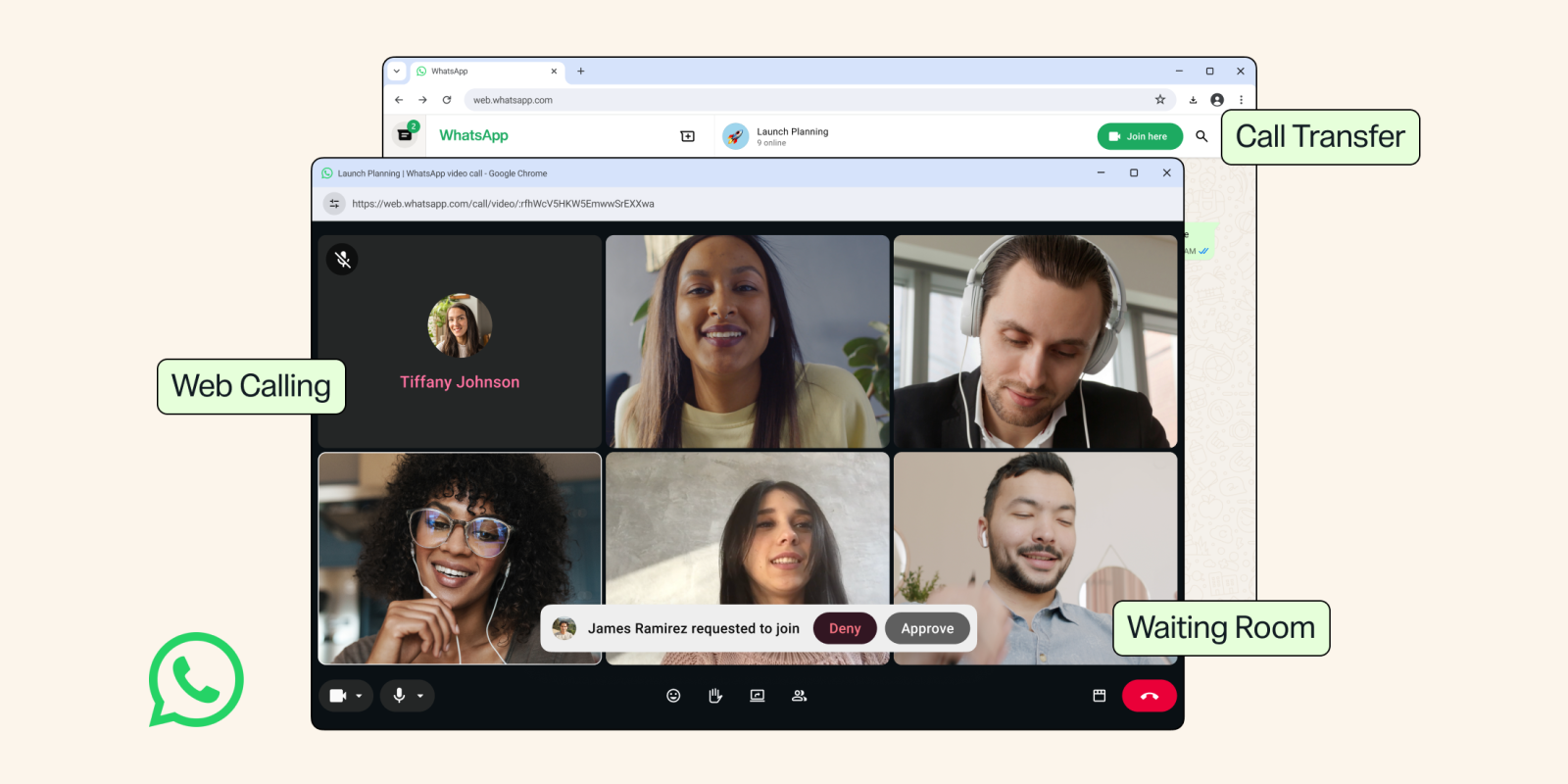
Meta-owned WhatsApp has rolled out five new calling features, including the long-awaited ability to call directly from WhatsApp Web, as part of an update aimed at making calls smoother across devices. Here’s everything the update actually changes.
- WhatsApp Web can now make and receive one-on-one and group audio and video calls — no app download needed.
- Calls stay end-to-end encrypted on the web, with no time limits and no cost, matching the mobile app’s privacy promise.
- Call Transfer lets you move an active group call between devices — phone to laptop or back — without hanging up.
- A new Waiting Room lets hosts approve who joins a call before letting them in.
- QuickHD delivers high-definition video within the first few seconds, and a new noise suppression toggle cuts background noise mid-call.
- All five features are rolling out gradually, with no exact date given for full global availability.
Until now, WhatsApp Web was mostly for chatting, not calling. That changes with this update: users can make and receive one-on-one and group audio and video calls directly from WhatsApp Web without needing to download the app. The rollout bundles five distinct improvements together, each aimed at making calls feel just as smooth on a browser as they do on a phone.
No More App Required for Web Calls
The headline feature is simple: WhatsApp Web can now handle calls on its own. The feature is pitched at people stuck on shared computers, college labs, or work laptops that don’t allow app downloads, letting them join a call without ever leaving the browser.
WhatsApp said the browser experience carries over screen sharing, reactions, and a dedicated Calls tab with full call history and favorites — essentially the same calling toolkit available on mobile, just running inside a browser tab. Crucially, calls on the web stay end-to-end encrypted, with no time limits and at no cost, the same privacy promise WhatsApp makes on mobile.
Switching Screens Without Dropping the Call
A second feature, call transfer, solves a familiar annoyance: starting a call on the go and wanting to move it to a bigger screen. The update lets users move an active group call from one device to another without hanging up — so a call started on a phone or tablet can shift seamlessly to WhatsApp Web or Desktop once someone’s home, or the other way round.
A Waiting Room for Group Calls
For hosts who want more control over who joins a call and when, WhatsApp has introduced a waiting room. Turning on the “Require approval to join” setting on a WhatsApp call link means participants sit in a holding area until the host lets them in — useful for larger group calls, community sessions, or anything where uninvited joiners are a concern.
Sharper Video and Quieter Calls
Rounding out the update are two smaller but practical tweaks. QuickHD promises high-definition video within the very first few seconds of a call, cutting out the usual blurry start that most video calls open with.
And a new noise suppression tool strips out background noise so a caller’s voice comes through clearly even in loud settings — a setting users can toggle anytime from the in-call controls, rather than something that’s forced on permanently.
| Feature | What it does | Who it helps most |
|---|---|---|
| Web Calling | Make/receive 1:1 and group audio & video calls directly on WhatsApp Web, no app install needed | Shared computers, college labs, locked-down work laptops |
| Call Transfer | Move an active group call between devices without hanging up | Anyone switching from phone/tablet to laptop mid-call |
| Waiting Room | Hosts approve participants before they can join a call | Group call hosts who want more control over who joins |
| QuickHD | Delivers HD video quality within the first few seconds of a call | Anyone tired of a blurry start to video calls |
| Noise Suppression | Toggleable background noise removal during a call | Calls from noisy or public environments |
When Can You Actually Use This?
WhatsApp said the features are rolling out gradually and will be available to everyone soon, without giving an exact timeline for a full global rollout. As with most WhatsApp updates, expect it to reach users in phases — so if you don’t see the new Calls tab or web calling option on WhatsApp Web just yet, it’s likely still on its way to your account rather than something you’re missing out on entirely.
Frequently Asked Questions
Do I need to download the WhatsApp app to make calls on WhatsApp Web now?
Are WhatsApp Web calls end-to-end encrypted?
Can I move a call from my phone to WhatsApp Web without hanging up?
What is the waiting room feature on WhatsApp calls?
When will these features be available to everyone?
A Smaller Update That Solves a Real Daily Annoyance
None of these five features are flashy, but together they close a gap that’s existed since WhatsApp Web first launched: the browser was always the “chat-only” version of WhatsApp, while calling stayed locked to the phone. That changes now — web calling, call transfer, waiting rooms, QuickHD, and noise suppression all point toward the same goal, making a call feel identical no matter which screen you pick it up on.